
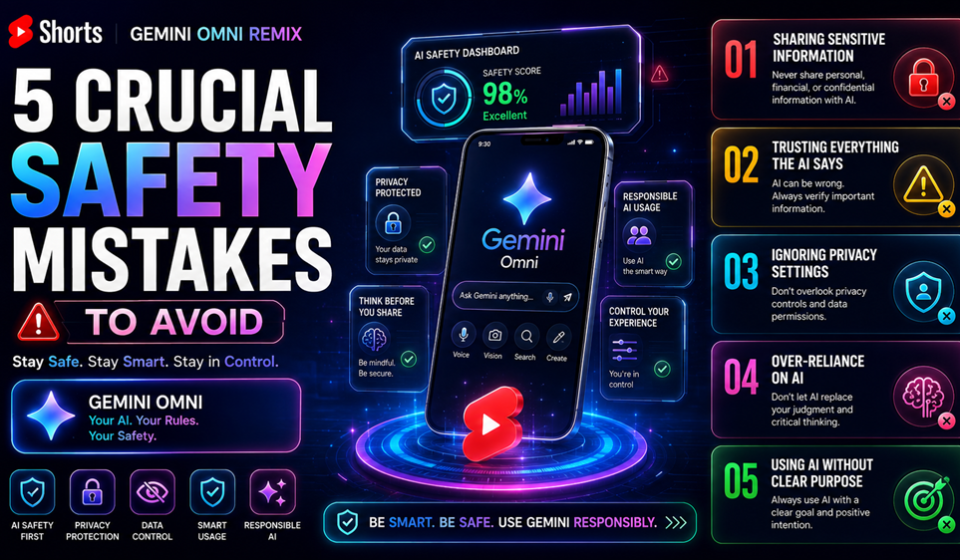

YouTube Shorts Gemini Omni remix capabilities have completely transformed how modern creators interact with short-form video content. Announced at Google I/O 2026, this powerful native multimodal AI engine allows any user to pick an eligible Short, hit the Remix button, select “Reimagine,” and fundamentally transform up to 10 seconds of video using text prompts and image references.
While this cutting-edge integration into the YouTube mobile application and the YouTube Create app offers an unprecedented opportunity to ride viral trends instantly, it also introduces serious, hidden risks. If you use generative AI carelessly, you risk channel penalties, likeness violations, or sudden takedowns. This complete structural guide breaks down how to harness this powerful AI tool without putting your digital brand in jeopardy.
The Core Problem: Why Blindly Prompting Risks Your Entire Channel
Many creators treat generative AI tools like a lawless digital playground. They assume that because a feature is built directly into the native YouTube platform, every single generation is automatically safe, compliant, and monetizable. This is a dangerous misconception.
When you use the YouTube Shorts Gemini Omni remix engine, the underlying multimodal model handles massive changes to setting, style, and object physics behind the scenes. However, if your custom prompts accidentally cross ethical, legal, or platform policy boundaries, you bear the consequences.
Furthermore, thousands of creators are actively choosing to opt out of visual remixing entirely using bulk settings inside YouTube Studio. If you build your entire content strategy around remixing clips without understanding creator permissions, your hard work could disappear overnight when an original creator restricts their content, causing your remixed short to be muted or permanently deleted.
Deep Technical Analysis: Under the Hood of Gemini Omni Flash
To use this feature wisely, you must understand how it operates differently from older generation tools. Previously, video workflows relied on fragmented systems: OpenAI or similar tools used separate pipelines for images, text, and audio. Google collapsed this framework by launching Gemini Omni Flash.
Because it is a native multimodal “any-to-any” network, it processes multiple inputs simultaneously. It evaluates the original video frame, your custom text prompt, and up to two of your uploaded gallery photos all at once. This results in a highly coherent video segment with automatically generated contextual audio.
However, this deep integration leaves a permanent digital footprint. Every single output generated via the YouTube Shorts Gemini Omni remix workflow is embedded with two distinct tracking layers:
- SynthID Watermarking: An invisible, pixel-level watermark developed by Google DeepMind that survives severe file compression, cropping, and color filtering.
- C2PA Content Credentials: A signed cryptographic manifest containing identifying metadata that marks the asset as altered or synthetic media.
Because these tracking layers are completely permanent, any platform violation is instantly traceable back to your channel.
Step-by-Step Guide: How to Execute an AI Video Remix Safely
Creating an automated video variation requires zero traditional editing skills, but it requires strict procedural adherence to keep your account safe. Follow this exact workflow sequence to create your first safe remix.
Real Use Cases for Strategic Content Creators
To maximize your performance on Google Discover and the Shorts feed, look at how professional creators leverage this system to generate thousands of views:
- The Trend Multiplier: A creator identifies a globally trending challenge video, pulls a 5-second clip, and uses a text prompt to shift the entire setting into an underwater fantasy kingdom. The contrast drives immense curiosity and massive mobile click-through rates (CTR).
- The Avatar Inserter: An educational creator uses an authorized reference photo of their own digital avatar to embed themselves directly into historical or scientific footage, making a dry topic highly immersive.
- The Aesthetic Swapper: Travel vloggers take their standard daytime clips and remix them into cyberpunk night scenes, extending the shelf-life of their existing B-roll library without filming new assets.
Expert Tips for High Engagement and Discovery
To stand out in conversational search engines like the newly launched “Ask YouTube” feature, optimization is mandatory. First, treat your prompt engineering seriously. Provide specific details about lighting, camera angles, and art styles.
Second, utilize external authority references when analyzing trends. For instance, stay updated on safety changes via the Google Support Portal or read deep-dive structural announcements directly on the Official YouTube Blog. Mentioning highly relevant trending terms in your video description increases your topical relevance within Google’s content AI algorithms.
Common Mistakes That Will Destroy Your Channel
The biggest mistake is ignoring the synthetic media disclosure rule. While the system attempts to label generations automatically, failing to declare AI-altered content can lead to a permanent suspension of your monetization privileges.
Another critical error is prompt-forcing protected intellectual property. Asking the model to insert copyrighted cartoon characters or movie assets into a remix will eventually lead to manual takedowns by copyright holders. Lastly, do not rely on remixing as 100% of your channel strategy. If the source creators delete their original uploads, all your dependent remixed Shorts are systematically wiped from the platform within 30 days.
Pros and Cons of the Remix Ecosystem
Understanding the trade-offs of this generative feature is essential for long-term growth.
Pros
- Blazing Fast Production: Erases the need for complex, heavy desktop editing applications.
- Built-in Audience Discovery: Every remixed video links directly back to the source, fostering collaborative community loops.
- Zero Financial Cost: The Gemini Omni features are completely free to use inside the primary app ecosystem.
Cons
- Fragile Content Longevity: Your video’s existence depends entirely on whether the original creator keeps their video public.
- Geographic Restrictions: The feature remains locked outside certain regions, meaning it is currently unavailable to creators in the European Economic Area (EEA) and the United Kingdom.
- Strict Policy Safeguards: Aggressive automated filters can flag harmless prompts if wording is slightly ambiguous.
Final Verdict
The YouTube Shorts Gemini Omni remix feature is a brilliant, highly accessible evolutionary step for short-form visual media. It levels the playing field, allowing anyone to turn wild ideas into high-quality digital reality in seconds. However, safety cannot be an afterthought. By respecting likeness boundaries, tracking creator permissions, and keeping your prompt choices clean, you can grow a highly secure, heavily optimized channel that thrives across both the Shorts feed and Google Discover.
Frequently Asked Questions
Can I monetize a YouTube Shorts Gemini Omni remix video?
Yes, you can monetize remixed Shorts through the standard YouTube Partner Program, provided your video complies with all community guidelines, includes the required synthetic media labels, and adds unique creative value through your custom prompting and image insertion.
What happens to my YouTube Shorts Gemini Omni remix if the original creator deletes their video?
If the original creator deletes their source video or restricts remixing permissions within their channel settings, your remixed video will be automatically deleted or muted by the platform within 30 days to protect creator ownership.
Does the YouTube Shorts Gemini Omni remix feature work on desktop computers?
No, the native generative remix features, including the Reimagine tool and photo reference uploads, are exclusive to the mobile environment inside the official YouTube mobile application and the companion YouTube Create app for Android and iOS.
Explore more guides and updates on Website Name: https://gproductindex.com