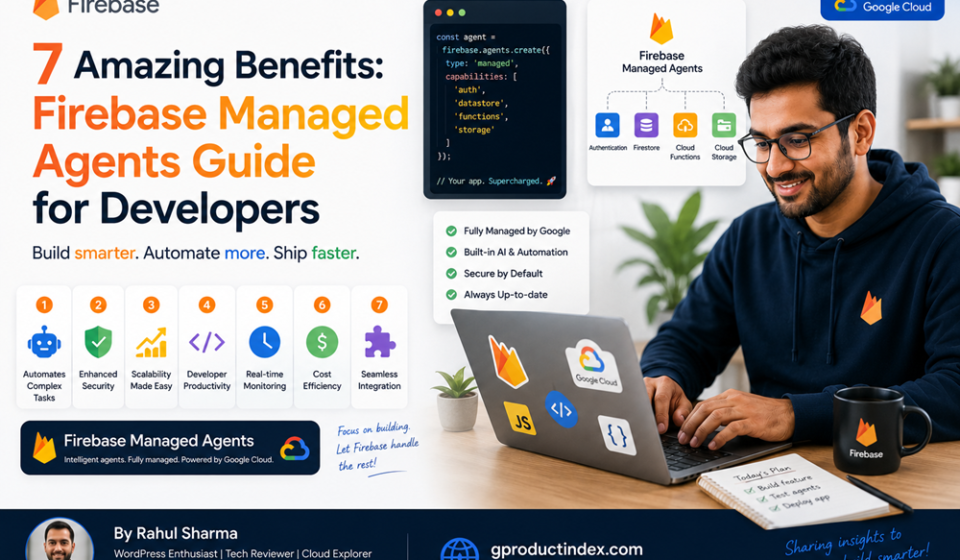

This Firebase managed agents guide details how to leverage Google’s serverless ecosystem to build, deploy, and scale autonomous AI workflows. By integrating portable package architectures like Firebase Agent Skills with backend orchestration tools such as Firebase Data Connect and Genkit, developers can implement stateful, data-grounded AI tools directly inside cloud infrastructure. This unified approach eliminates manual API orchestration, reduces language model token costs via progressive disclosure, and ensures enterprise-grade isolation through Google Cloud Identity and Access Management (IAM) security policies.
Introduction
The rapid evolution of generative software design has turned the traditional backend engineering pipeline upside down. Modern cloud systems no longer just serve static records; they must actively orchestrate background workflows, run real-time vector queries, and execute complex business steps autonomously. When development teams build these agent frameworks manually from scratch, they face significant roadblocks around API integration, uncontrolled large language model (LLM) token usage, and complex infrastructure overhead.
To fix these operational challenges, Google converted its application development suite into an optimized runtime for autonomous code execution.
This Firebase managed agents guide explores how to master this serverless transformation. By combining specialized developer tools with managed compute engines, you can deploy resilient, secure, and production-ready serverless agent networks that scale automatically without the burden of heavy server maintenance.
Serverless AI Orchestration via the Firebase Platform
Implementing a comprehensive architecture based on a Firebase managed agents guide shifts backend development from a passive database state to an active, event-driven automation framework. Traditional backend-as-a-service configurations focus entirely on storage and authentication endpoints. Developers have to spend hours writing manual glue code within cloud functions to link LLM reasoning APIs with production databases.
The modern Firebase environment solves this complexity by turning backend endpoints directly into structured tools that AI models can use safely.
Native Data Grounding with Firebase Data Connect
Autonomous systems are only as reliable as the information they can access. A core recommendation within our Firebase managed agents guide is utilizing Firebase Data Connect to link your agents directly to managed relational systems like Cloud SQL for PostgreSQL.
Instead of dealing with loose, unvalidated JSON payloads, Data Connect exposes your database tables using strict GraphQL schemas. The engine translates these queries and mutations into clear schemas that reasoning agents can parse immediately. This approach gives your AI components clean, type-safe access to production data without risking raw database exposure.
The Firebase Agent Skills Runtime Engine
The introduction of Firebase Agent Skills changes how AI modules handle framework-specific documentation. Rather than feeding thousands of pages of static references into an LLM context window—which explodes processing costs—Agent Skills use an intelligent progressive disclosure framework:
- Metadata Scanning: The execution engine checks minimal package descriptions first to confirm if a specific skill matches the user’s intent.
- On-Demand Context Loading: Detailed workflow instructions, architectural patterns, and execution scripts load only when the agent verifies they are needed for a specific task.
- Automation Command Execution: Deployed skills can run precise terminal operations or script files locally to handle setup processes automatically.
Unified Edge Infrastructure and Deployment
Once configured, these managed workflows deploy smoothly using Firebase App Hosting or Google Cloud Run. This architecture allows your AI tools to run close to your users, cutting down on execution lag while keeping a direct, low-latency connection to global storage buckets and caching clusters.
Step-by-Step Guide to Deploying Firebase Managed Agents
Setting up a production-ready automation layer requires linking your local development environment to Google Cloud’s security framework. Follow this structured process to initialize, configure, and verify your serverless agent infrastructure.
1. Initialize Your Enterprise Workspace
Before writing code, establish your workspace using the latest Firebase CLI utilities. Open your terminal within your core project directory and run the following command to link your code repository to your Google Cloud infrastructure:
Bash
firebase init dataconnect
This configuration routine creates your local configurations, maps your database target configurations, and scaffolds your core GraphQL schema files inside a clean directory structure.
2. Install Specialized Agent Skills
To give your development agents and automated workflows deep, framework-specific intelligence, embed portable agent bundles into your toolchain. You can inject these modules using the standard package runner:
Bash
npx skills add firebase/agent-skills
If your development team utilizes specific editor environments or command-line wrappers, configure the extension parameters directly through your terminal workspace:
Bash
gemini extensions install https://github.com/firebase/agent-skills
3. Expose Your Database Operations as AI Tools
Open your system schema directory and define your data entities within your GraphQL schema files. To let your autonomous agents execute data lookups safely, wrap your queries inside structured tool definitions:
GraphQL
# /dataconnect/schema/schema.gql
type Movie @table {
  id: UUID!
  title: String!
  genre: String!
  embedding: Vector @vector(dimensions: 768)
}

query GetMovieRecommendations($genre: String!) @auth(level: USER) {
  movies(where: { genre: { eq: $genre } }, limit: 5) {
    id
    title
  }
}
The Data Connect compiler parses these definitions and exports structured JSON schemas that development engines like Genkit read to understand exactly what your backend tools do.
4. Deploy and Verify the Infrastructure Pipeline
With your data schemas and tools configured, push your backend files to live cloud infrastructure by running the deployment command:
Bash
firebase deploy --only dataconnect,hosting
The system packages your schemas, provisions your Cloud SQL instances, updates your API access keys, and outputs a live production endpoint ready to handle secure requests.
Common Infrastructure Automation Pitfalls to Avoid
Building a system around a Firebase managed agents guide requires setting up strict access boundaries and clear operational constraints. Avoid these common production mistakes to keep your architecture secure.
Allocating Overly Broad IAM Permissions
Giving automated backend agents broad administrative roles like Owner or Firebase Admin creates severe security liabilities. If an agent suffers from an injection exploit or executes an unintended command loop, it could accidentally delete database tables or alter production security rules. Always apply strict least-privilege principles by assigning specific service agent roles.
Neglecting Token Expenditure Limits and Budget Caps
Running autonomous loops that call frontier LLMs within unmonitored execution paths can lead to sudden, unexpected cloud bills. Without strict safety boundaries, an agent caught in an infinite logic loop will rapidly consume its token allocation. Always implement runtime blockades, execution timeouts, and hard billing alerts within the Google Cloud console.
Hardcoding Environment Variables Inside Agent Code
Embedding database passwords, private encryption strings, or third-party API tokens directly within your agent logic breaks core security compliance rules. If your repository history is leaked, those environment secrets are compromised. Always store sensitive data within Google Cloud Secret Manager and inject them securely at runtime.
Advanced Management Tactics for Cloud Engineers
To maximize the stability and security of your automated architecture, incorporate these high-level design patterns into your infrastructure stack.
Implement Multi-Agent Validation Sandboxes
Never allow an autonomous agent to rewrite application code or modify database states without passing through a secondary verification layer. Implement a multi-agent critique pattern where a separate, highly constrained validation sub-agent reviews every generated command against a strict policy checklist before execution.
Optimize RAG Systems with High-Performance Vector Fields
When building Retrieval-Augmented Generation (RAG) loops, ensure your vector fields use efficient index formats. By leveraging the built-in vector search features of Firebase Data Connect alongside Vertex AI models, your system can quickly match user input against millions of entries while keeping operational overhead low.
Mandate Regular Agent Skills Update Schedules
Because cloud tools and security standards change rapidly, outdated agent packages can lead to deployment issues or security gaps. Force automated update scripts within your continuous integration pipelines to keep your packages current:
Bash
npx skills update --all
Backend Infrastructure Platform Comparison
The following breakdown highlights the structural differences between traditional backend frameworks, raw AI application frameworks, and the ecosystem detailed in this Firebase managed agents guide.
| Architectural Feature | Traditional Serverless Backends | Raw GenAI Coding Tools | Deployed Firebase Managed Agents |
| Data Interaction Method | Manual REST or ORM queries | Unvalidated text injections | Type-safe GraphQL and tool mappings |
| Token Cost Management | None (No native AI layers) | High (Loads massive context) | Low (Uses progressive disclosure) |
| Database Connectivity | Manual driver connection pooling | Disconnected mockup stores | Direct Cloud SQL and Vector search |
| Security Enforcement | Static middleware filters | Hardcoded user instructions | Cloud IAM service agent tracking |
| Local Testing Support | Local emulator suites | No native runtime emulation | Full local emulation with Firebase CLI |
Pros and Cons of Firebase Managed Agents
Pros
- Drastically Reduced Token Budgets: Progressive disclosure scanning cuts out large documentation loads, saving significant compute costs.
- Type-Safe Data Integration: Employs explicit GraphQL connectors to stop structural payload injection vulnerabilities before they run.
- Automatic Serverless Scaling: Leverages Google Cloud Run infrastructure to smoothly scale from zero to millions of daily executions.
- Integrated Testing Environments: Allows engineering teams to validate code updates locally using the Firebase Emulator Suite before pushing changes live.
Cons
- Ecosystem Specialization: Transitioning requires moving non-relational document paradigms over to structured SQL and GraphQL engines.
- Human Oversight Constraints: Complex enterprise operations still require explicit developer review blocks to maintain architectural control.
Frequently Asked Questions
What are Firebase managed agents?
They are serverless backend configurations that combine autonomous AI frameworks like Genkit with Firebase infrastructure tools to execute complex coding and data tasks automatically.
How does this Firebase managed agents guide help reduce token costs?
The guide focuses on using portable package models that leverage progressive disclosure, scanning minimal metadata first and loading detailed text instructions only when explicitly required.
What is the role of Firebase Data Connect in agent architectures?
Data Connect acts as a secure data layer, turning your Cloud SQL for PostgreSQL tables into type-safe GraphQL definitions that AI agents can easily understand and interact with.
Do these automated agents require separate server infrastructure?
No. They deploy directly onto Google’s fully managed serverless infrastructure, meaning the platform automatically manages resource provisioning and scaling under the hood.
How can I secure my database when using automated agents?
You should enforce strict Google Cloud IAM permissions and configure service agent roles to ensure your automated tools only have access to the specific resources they need.
What languages and editors work with Firebase agent skills?
The system integrates smoothly with modern development tools and IDE environments, including Claude Code, Cursor, Codex, and the Gemini CLI tool.
Can I test my agent workflows locally before deployment?
Yes. The Firebase CLI provides a complete local emulator suite that lets you test database queries, security rules, and agent logic safely on your machine.
What is the difference between Firebase Data Connect and Firestore?
Firestore is a NoSQL document database built for hierarchical data models, while Data Connect uses a relational PostgreSQL base with a GraphQL interface designed for type-safe AI tool integration.
How do I update my deployed agent skills safely?
You can manage dependencies by adding an automated package script into your CI/CD pipelines to run the standard update command before each production deployment.
Is this framework suitable for enterprise scale?
Yes. Because it is built on Google Cloud’s core infrastructure, it includes enterprise-grade security features, comprehensive logging tools, and global scaling capabilities out of the box.
Final Verdict
Adopting the strategies outlined in this Firebase managed agents guide gives developers a reliable framework for building scalable, secure, and cost-effective AI workflows. By replacing fragmented custom middleware with type-safe tools like Firebase Data Connect and optimized structures like Agent Skills, engineering teams can build resilient systems that handle complex automation tasks safely.
When managed under strict IAM policies, this approach allows your team to maximize the power of autonomous engineering while completely avoiding developer burnout and unexpected cloud bills.
Technical Resources and References
Internal Links
For a deeper dive into our architectural components, view our related breakdowns:
External References
Review official documentation and industry releases directly from primary authorities:
- Firebase Documentation: https://firebase.google.com/docs/ai-assistance/agent-skills
- Google Cloud Identity and Access Management: https://docs.cloud.google.com/iam/docs/roles-permissions/firebase
- Firebase Product Portal: https://firebase.google.com/