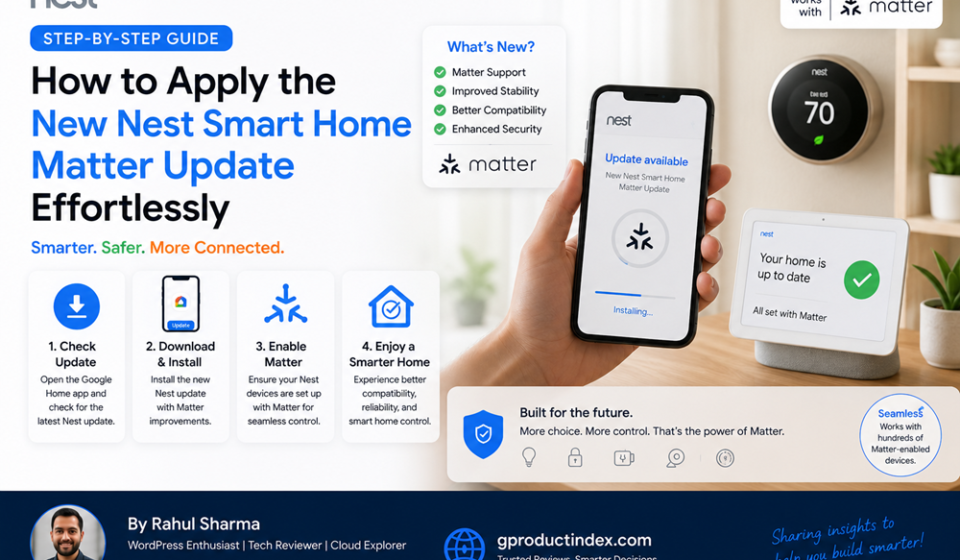

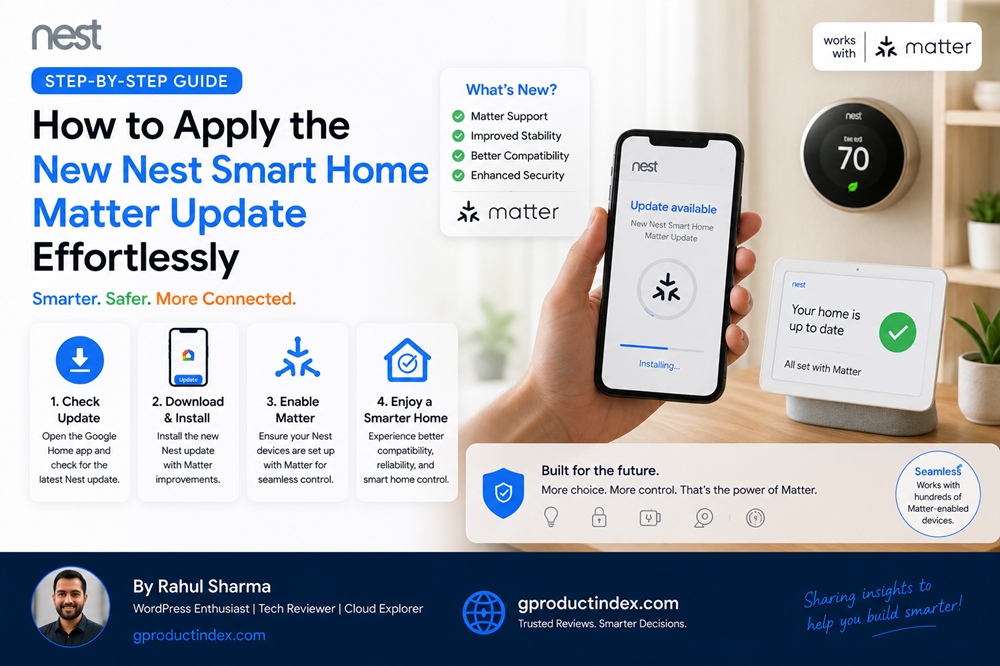
To apply the new Nest Smart Home Matter update, ensure your mobile device runs the latest Google Home app and your local network has IPv6 enabled. Nest hardware—including Nest Hubs, Nest Thermostats, and Nest Wifi Pro routers—downloads and applies this firmware modification automatically overnight when connected to an active internet line. To force a delayed update or verify integration status, navigate to your device’s settings within the Google Home application, check the technical version logs, or use the “Linked Matter apps & services” option to share local hardware control across secondary smart home platforms.
Introduction
For years, building an integrated smart home ecosystem felt like managing a fragmented IT network. Users were forced to choose between isolated software silos, balancing different compatibility layers for Apple Home, Amazon Alexa, and Google Home. This fragmented framework led to massive development debt for device vendors and caused constant connectivity drops for consumer tech stacks.
The global launch of the universal Matter standard changes this landscape completely, introducing a secure-by-default, local mesh protocol across the industry.
If your household relies on Google hardware, applying the latest Nest Smart Home Matter update is the most effective way to unlock cross-platform compatibility. This structural transition updates your existing smart displays, routers, and thermostats into localized automation engines, allowing devices from different manufacturers to interact instantly without relying on cloud-based relays.
The Matter Protocol Infrastructure on Google Nest
Deploying the Nest Smart Home Matter update within your home network changes how your smart appliances talk to one another. Standard smart home systems rely on individual cloud-to-cloud connections. When you ask a voice assistant to dim a light bulb, that command travels up to external servers, crosses over to the light manufacturer’s cloud network, and then paths back down to your house. This complex route creates execution lag and leaves your automations broken whenever your internet drops.
The Nest Smart Home Matter update removes these external dependencies by establishing a unified, local communication layer over your existing Wi-Fi and Thread connections.
Turning Nest Hardware into Edge Controllers
When you apply the Nest Smart Home Matter update, your compatible Google devices become local Matter controllers and Thread Border Routers. Instead of serving as simple audio speakers or displays, hardware like the Nest Hub Max or Nest Wifi Pro works as a physical on-site server. These edge devices handle the local processing load for your entire smart ecosystem, keeping your data secure and processing actions instantly.
The Power of Thread Mesh Networking
A key technical benefit of the Nest Smart Home Matter update is native support for Thread networking. Unlike traditional Wi-Fi, which slows down as you add more devices, Thread creates a self-healing, low-power mesh network:
- Endpoint Devices: Smart plugs, switches, and sensors talk to the closest powered unit rather than straining your main router.
- Border Routing: Nest devices route local network packages smoothly between your Wi-Fi router and your Thread mesh layer.
- Local Fallbacks: If a single hub drops offline, the surrounding nodes automatically re-route data packets to keep your automation rules running.
True Multi-Admin Interoperability
The Nest Smart Home Matter update also introduces multi-admin sharing. This framework allows you to connect a single smart lock or sensor to multiple platforms simultaneously. You can pair a device through your Google Home app while letting another family member manage it through an alternate smart home application, all without needing to reset the physical hardware.
Step-by-Step Guide to Applying and Verifying the Update
Because Nest hardware uses an automated delivery system, firmware updates roll out gradually over the air. Follow these step-by-step procedures to check your system versions, force stuck updates, and link your first Matter-certified devices.
1. Update Your Core Management Applications
Before checking your physical hardware, ensure your mobile controller application is up to date. Open your mobile operating system’s application storefront, search for the Google Home app, and apply any pending updates. Your mobile device must also have Bluetooth enabled and be connected to a local Wi-Fi network with IPv6 active to handle provisioning.
2. Verify Your Nest Device Firmware Version
To check if the Nest Smart Home Matter update has already been applied to your smart hubs or displays, run a quick system check through your mobile interface:
Open Google Home App ──> Select Device Tile ──> Tap Settings Gear ──> Open Device Information
Scroll to the bottom of the technical specifications menu to check your current operating system version. For dedicated hardware like the Nest Learning Thermostat, you can check for updates directly on the device by clicking the outer ring, navigating to the Settings wheel, and selecting the Version sub-menu.
3. Move Legacy Hardware over to the Google Home App
If you own older smart cameras or smoke detectors that still run on legacy Nest accounts, migrate those profiles into your unified Google account structure. Open your settings menu and select the Transfer devices to Google Home routine to bring your older hardware into the modern Matter-compatible engine.
4. Pair a Matter Device Using the Universal Standard
Once your Nest controller is fully updated, adding new smart accessories is incredibly straightforward. Use the following deployment workflow:
Bash
# Launch the pairing routine within your workspace console
Google Home App -> Tap Add (+) -> Select "Device" -> Choose "New Device"
When prompted by the on-screen wizard, point your smartphone’s camera at the specialized Matter QR code sticker found on the back of your smart accessory. The application will use Bluetooth Low Energy to share network permissions, securely link the unit to your Nest hub, and add the new hardware to your local automation network in seconds.
Common Smart Home Automation Pitfalls to Avoid
Updating your smart home network requires proper configuration of your local network settings. Avoid these common installation mistakes to keep your smart home running smoothly.
Disabling IPv6 Protocols on Your Primary Internet Router
Matter relies entirely on local IPv6 network routing to assign unique, local IP addresses to every connected accessory. If your home network router has IPv6 disabled or blocks internal communication, your Nest controller will fail to find or control your new smart devices. Always log into your router’s admin panel to confirm that local IPv6 traffic is permitted.
Mixing Uncertified Legacy Devices with Modern Mesh Frameworks
Trying to connect uncertified, older smart home gear to your new automation setups through custom cloud integrations can introduce system lag. To maintain a fast, stable network, prioritize using native Matter-certified hardware that connects directly to your local Nest hubs.
Neglecting Factory Resets on Transferred Hardware
When moving an older smart plug or light bulb from a manufacturer’s standalone app over to the Nest Smart Home Matter update ecosystem, skipping a clean factory reset can cause pairing errors. Clearing the device’s old memory ensures it enters pairing mode cleanly and accepts its new security certificates without conflict.
Advanced Network Optimization for Power Users
To maximize the reliability of your updated smart home infrastructure, deploy these high-level configuration adjustments across your network layout.
Split Your Wireless Frequency Deployments
Keep your high-bandwidth streaming devices separate from your smart home hardware. For appliances that still use traditional Wi-Fi connections, anchor them to a dedicated 2.4 GHz wireless network band. This separation keeps your 5 GHz and 6 GHz channels wide open for computer systems and video streams, while giving your smart home gear a long-range, stable connection.
Use Multi-Admin Connections for Cross-Platform Flexibility
Take advantage of multi-admin sharing to eliminate platform lock-in. If you want to use advanced desktop automation utilities alongside your standard mobile voice controls, navigate to your device’s settings wheel inside the Google Home app, tap Linked Matter apps & services, and generate a temporary pairing string. This code lets you link your hardware to secondary management platforms simultaneously.
Monitor Automated Network Updates via Public Preview
If you want to test upcoming smart home features and firmware patches before they roll out to the general public, join the Google Home Public Preview program. Enrolling gives your development devices early access to advanced automation rules and updated device profiles, helping you optimize your smart home tech stack ahead of schedule.
Smart Home Ecosystem Platform Comparison
The breakdown below highlights the operational differences between legacy cloud platforms, custom open-source integrations, and the updated system layout.
| System Characteristic | Legacy Cloud Smart Homes | Custom Open-Source Setups | Updated Nest Matter Infrastructure |
| Command Delivery Route | External cloud-to-cloud relays | Local server instances | Localized peer-to-peer mesh |
| Cross-Platform Support | Hardcoded developer bridges | Manual configuration work | Native multi-admin sharing |
| Offline Automation Support | None (Requires active internet) | Full (Demands dedicated server) | Native (Runs on physical Nest hubs) |
| Device Provisioning Process | Separate vendor applications | Complex manual terminal pairing | Standardized camera QR scanning |
| Network Self-Healing | None (Relies on single router) | Dependent on mesh plug-ins | Automated Thread mesh re-routing |
Pros and Cons of the Matter Update
Pros
- Instant Device Control: Local routing cuts out cloud delays, making your smart home automations feel faster and snappier.
- True Local Reliability: Your pre-configured automation rules and device connections keep working perfectly even if your internet goes down.
- Universal Brand Compatibility: Lets you mix and match hardware from Apple, Google, and Amazon within a single household.
- Streamlined Device Setup: Eliminates the need to download dozens of separate manufacturer apps just to configure a basic smart plug.
Cons
- Strict Router Requirements: Demands a modern home network setup with local IPv6 routing features fully enabled.
- Gradual Feature Deployment: Certain advanced features for unique device types roll out in phases across the different platform apps.
Frequently Asked Questions
What is the Nest Smart Home Matter update?
It is a comprehensive firmware upgrade that updates compatible Google Nest devices into local Matter controllers and Thread border routers for cross-brand device control.
Which Nest devices support the new Matter update?
Support extends across major Nest hardware, including the Nest Hub (1st and 2nd Gen), Nest Hub Max, Nest Wifi Pro, Nest Thermostat, and newer streaming devices.
How do I manually force the Matter update on my Nest Hub?
Nest displays download and install firmware updates automatically overnight. You can verify your connection status or check for updates by reviewing the device info menu in the Google Home app.
Do I need to replace my older Nest devices to use Matter?
No. Google updated a wide range of existing Nest smart displays and routers over the air, turning your current hardware into fully functional Matter controllers.
What should I do if my Matter device fails to pair?
Confirm your phone has Bluetooth turned on, check that your home router has IPv6 enabled, and perform a factory reset on the accessory to ensure it is in pairing mode.
Can I control Matter devices with an iPhone?
Yes. Once your Nest infrastructure applies the update, you can use multi-admin sharing keys to control your paired devices through Apple Home and Google Home at the same time.
What is the difference between Wi-Fi and Thread in Matter?
Matter runs across both connection types. Wi-Fi handles high-bandwidth devices like smart cameras, while Thread creates a low-power, self-healing mesh network for smaller items like sensors and light switches.
Will my existing Google Home automations keep working after the update?
Yes. Your current routines will continue to run normally, but your system will gain the ability to trigger actions locally across a much wider variety of third-party hardware.
How do I share an updated Nest device with another smart app?
Open the device’s settings menu inside the Google Home app, select the linked apps option, and generate a secure pairing code to scan with your secondary smart application.
Why is IPv6 support required for Matter setup?
Matter uses IPv6 to assign direct, local IP addresses to every individual smart device, allowing your hardware to communicate securely across your local network without relying on cloud servers.
Final Verdict
Applying the Nest Smart Home Matter update turns a fragmented collection of smart gadgets into a fast, unified, and locally controlled automation network. By moving away from slow cloud-to-cloud relays and embracing local mesh architectures like Thread, this update provides your home ecosystem with exceptional speed and reliable offline performance.
When configured over a properly optimized local network, this updated framework allows tech enthusiasts to scale their smart home automation projects seamlessly while completely avoiding platform lock-in and connection dropouts.
Technical Resources and References
Internal Links
For a deeper dive into our architectural components, view our related breakdowns:
External References
Review official documentation and industry releases directly from primary authorities:
- Google Nest Support Portal: https://support.google.com/googlenest/answer/13127223
- Connected Home Over IP Developer Guidelines: https://developers.home.google.com/matter
- Google Nest Community Announcements: https://www.googlenestcommunity.com/