
The Shift to Autonomous Patch Deployment
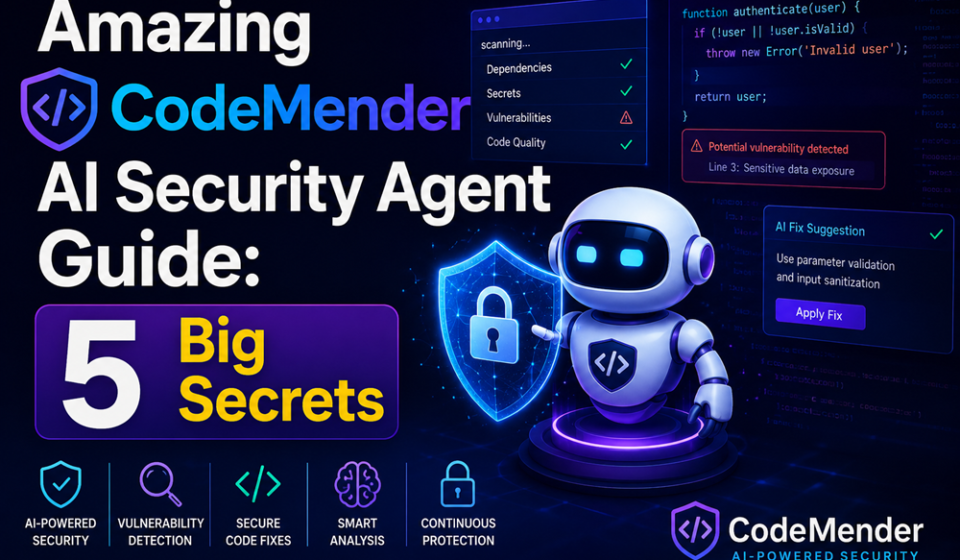
The lifecycle of enterprise vulnerability management has officially transformed. With the widespread integration of the CodeMender AI security agent, development teams are rapidly moving away from passive static analysis alerts toward fully automated, self-healing code repositories. Operating natively across your cloud infrastructure, this platform doesn’t just find syntax errors—it actively fixes them.
By anchoring the CodeMender AI security agent to secure cloud backend environments, organizations can monitor their main software branches continuously. The system acts as a persistent virtual engineer, writing regression tests, adjusting configurations, and packaging verified pull requests independently without interrupting human production schedules.
Whether you are securing high-volume e-commerce applications or auditing intricate infrastructure code, mastering the deployment of this autonomous tool is essential to modern cloud-native systems engineering.
The Problem: The Exhausting Bottleneck of Manual Vulnerability Triaging
Traditional security reporting tools create immense operational friction. In the past, running standard application security scans meant generating massive, un-formatted PDF audits containing thousands of potential warnings. DevSecOps teams were left to manually investigate every single flag, separate false positives from real threats, write custom code patches, and manually test adjustments. This slow process allowed vulnerabilities to sit unpatched for weeks.
The active deployment of the CodeMender AI security agent directly eliminates this remediation delay. By linking code analysis directly to isolated, execution-ready environments, the software completely removes the manual triage barrier. It reads the threat footprint, builds a matching code correction, and tests the file inside a secure container before a human developer ever needs to look at the screen.
Deep Dive: Core Security Architecture and Sandbox Isolation
To deploy an autonomous framework safely, systems administrators must understand the containment barriers dividing the automation pipeline. The implementation of the CodeMender AI security agent runs inside strictly regulated runtime boundaries.
| Operational Infrastructure Node | Core Technical Mechanism | Primary Security Task |
| Ingestion Pipeline | Secure Git Webhook Handlers | Monitors incoming code commits and scans for newly introduced syntax flaws or secret leaks. |
| Validation Engine | Isolated Linux Sandboxes | Executes automated software test suites safely away from internal corporate production environments. |
| Orchestration Hub | Google Cloud Agent Platform API | Governs background worker limits, applies domain allowlists, and enforces access control rules. |
By utilizing the lightning-fast compute speeds of optimized cloud infrastructure, processing latency drops to a minimum. The system processes complex code changes, runs multiple verification passes, and generates clean file updates in seconds, showing the true power of the CodeMender AI security agent framework.
Step-by-Step Guide: Setting Up CodeMender on Google Cloud
Ready to wire up your central source control repositories and deploy your first self-healing security pipeline? Follow this precise configuration sequence to align your platform parameters cleanly.
1.Provision Your Isolated Google Cloud Resource Spaces:Environment Check.
Log into your primary administrative console. Create a dedicated project space and verify that your system is connected to an enterprise cloud tier or an active individual developer subscription module.
2.Initialize the Core Agent Management Control Planes:Step 2.
Navigate straight to your service API manager desk. Activate the required backend communication channels by enabling the native orchestration endpoints built into the cloud platform.
3.Bind the CodeMender AI Security Agent Credentials:Step 3.
Create a specialized Service Account holding highly restricted, least-privilege permissions. Generate short-lived authentication keys to allow the platform to pull code blocks without exposing full administrative access.
4.Map Network Egress Routing Rules and Allowlists:Step 4.
Configure strict firewall parameters around your validation cells. Ensure your execution sandboxes run with restricted outbound paths, preventing the CodeMender AI security agent workers from reaching unauthorized external servers.
5.Establish the Automated Repository Webhook Handlers:Step 5.
Connect your central version control system directly to the ingestion node. Execute a test commit to verify the automation loop triggers successfully and monitors incoming file updates correctly.
Expert Enterprise Secrets for Secure AI Code Operations
- Enforce Strict Branch Protection Layouts: Never allow an automated worker to write directly to your master production branches. Configure your version control rules to force the CodeMender AI security agent to submit changes as isolated pull requests that require human engineer approval.
- Inject Specialized Prompt Verification Filters: Protect your code parsing models from potential exploit attempts. Use native security layers to inspect incoming code comments, preventing hidden prompt injection attacks from altering the agent’s behavior.
- Isolate Package Dependencies via Local Registries: When the validation engine runs background test suites, don’t let it pull unverified libraries from public webs. Route container configurations through local artifact registries to ensure total software supply chain control.
Common Automation Pitfalls to Avoid
- Granting Direct Writing Authority to Database Schemas: Giving an automated agent broad read-write keys over live customer data clusters can cause unintended structural corruption. Limit the agent’s database access strictly to mock testing environments.
- Forgetting to Cap Maximum Daily Token Credits: Complex code loops can trigger continuous reasoning chains if a test continuously fails. Set rigid execution caps within your control panel to keep your daily usage well within your target limits.
- Running Code Audits without Updated Base Templates: If your development groups transition to modern framework releases, ensure your agent deployment profiles are updated to match. Running on stale code models can cause the agent to generate outdated syntax fixes.
Pros and Cons of Autonomous Security Agents
Pros
- Incredible Time Savings: Slashes vulnerability resolution times by instantly writing validated fixes the moment a bug is found.
- Flawless Sandbox Containment: Runs background compilation steps inside isolated Linux containers, protecting core corporate systems.
- Clean Code Consistency: Generates well-documented patches that match your team’s specific styling rules and architecture guidelines perfectly.
Cons
- Initial Enterprise Integration Overhead: Setting up the secure network paths, access permissions, and cloud endpoints requires careful upfront planning from systems administrators.
- Cold-Start Validation Latency: Initial sandbox container instances can experience brief startup delays when waking up from an idle state to process a new commit.
Strategic Real-World Enterprise Use Cases
- Automated Legacy Software Library Upgrades: Large financial corporations use the CodeMender AI security agent to scan massive codebases, automatically identifying and replacing deprecated dependencies with modern, secure alternatives.
- Continuous Cloud Infrastructure Code Hardening: DevSecOps squads connect the agent to their deployment scripts, allowing the system to instantly intercept and correct unsecured network configurations before they deploy to cloud servers.
- Rapid Open-Source Compliance Auditing: E-commerce software houses run the platform across incoming dependencies, automatically rewriting non-compliant code segments to ensure strict adherence to industry security standards.
Automation Summary & Tactical Takeaways
Deploying the CodeMender AI security agent represents a permanent evolution away from slow, manual code auditing toward rapid, automated infrastructure protection. By locking your execution sandboxes down behind strict network rules, enforcing a human-in-the-loop approval model for pull requests, and matching credentials to a least-privilege framework, you build an incredibly resilient DevSecOps workflow. Start your automation journey today by configuring a limited testing repository, routing a basic patch script, and monitoring performance metrics to scale your security operations safely.
Explore More Google Products & Tools
To see how these new high-speed models fit into Google’s broader software roadmap, check out our comprehensive Google Product Index Categories Hub on the homepage to browse through active enterprise toolsets.
Google Product Index Categories Hub:
https://www.google.com/search?q=https://gproductindex.com/
To track how these new tools fit into the wider landscape of active and legacy applications, you can explore our comprehensive Google Products Database Hub right on our homepage.
Google Products Database Hub:
10. FAQ Schema
What is the primary function of the CodeMender AI security agent?
The platform operates as an autonomous, enterprise-grade DevSecOps worker. It connects directly to your code repositories, automatically analyzes incoming files for security vulnerabilities, writes matching bug fixes, and tests those patches safely inside isolated containers.
How does the validation sandbox protect my core cloud resources?
Every single patch generation loop executes entirely inside an isolated, containerized Linux sandbox environment. This separation prevents the CodeMender AI security agent from modifying your primary project spaces or touching live production configurations during testing.
Can I share automated patch tasks across separate development teams?
Yes. By routing operations through centralized project configurations, enterprise administrators can share custom test suites, allowlist parameters, and code style definitions across multiple development units without additional configuration overhead.