
The Shift to Persistent Autonomous Runtimes
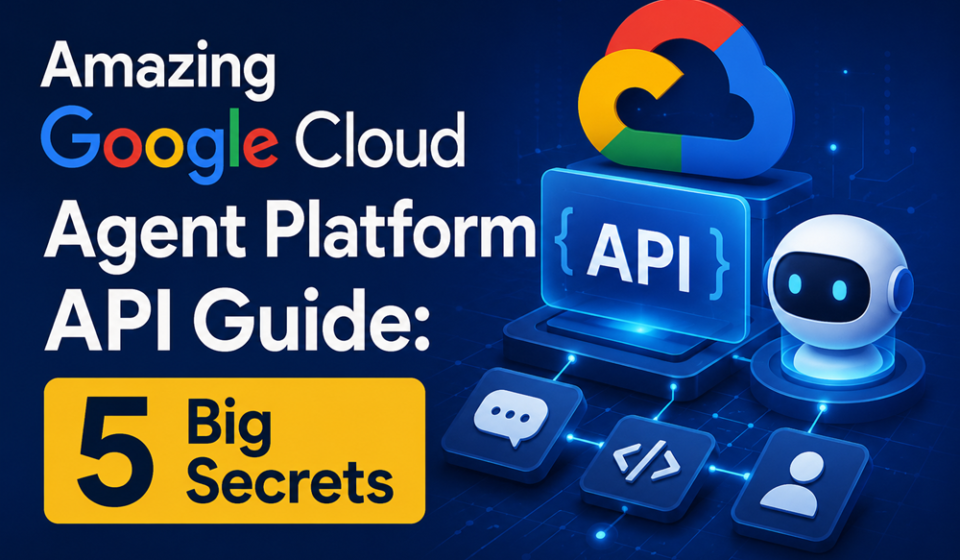
The paradigm of enterprise backend architecture has officially entered an autonomous era. Formally stabilized during the recent Google I/O summit, the programmatic deployment of the Google Cloud Agent Platform API represents a massive leap forward for systems engineers. Rather than requiring developers to write complex local loops or maintain fragile webhook managers, this native control plane lets you spin up isolated, fully managed digital workers with a single REST call.
By interacting programmatically with the Google Cloud Agent Platform API, infrastructure teams can provision secure Linux sandboxes where background models reason, execute code, navigate networks, and access multi-cloud file directories. The runtime environment stays persistent, checking pipeline updates and running operations independently of user state transitions.
Whether you are configuring continuous integration blocks or building automated inventory pipelines, mastering the Google Cloud Agent Platform API will fundamentally streamline your cloud operations.
The Problem: The Security Flaws of Custom Agent Infrastructure
Building custom execution rigs for large language models is a major security risk. In the past, developers had to spin up bare virtual machines, pass raw root terminal access to AI routines, and build complex parsing scripts from scratch just to allow an engine to modify local project repositories or query SQL databases. This homemade approach frequently led to data leaks, infinite processing loops, and unsecured api calls.
The enterprise launch of the Google Cloud Agent Platform API directly eliminates this infrastructure headache. By enforcing strict security perimeters at the kernel level, the environment prevents automated processes from running rogue code across your local systems. The agent operates entirely within an isolated, containerized environment, protecting your primary data clusters.
Deep Dive: Core System Architecture and Component Matrix
To successfully manage an autonomous cluster, system administrators must understand the split architecture holding the network layer together. The Google Cloud Agent Platform API segregates operations into an administrative plane and a live interactions data plane.
| Architectural Layer | Core Technical Endpoint | Primary System Task |
| Control Plane | v1.projects.locations.reasoningEngines | Manages container configuration parameters, injects tool allowlists, and controls sandbox scale. |
| Data Plane | v1.projects.locations.reasoningEngines.api | Serves as the primary runtime interface to pipe user inputs and stream live agent outputs. |
| Compute Core | Google Antigravity Engine | Powers rapid reasoning loops using Gemini 3.5 Flash at over 280 tokens per second. |
Because the runtime infrastructure handles resources automatically, compute allocations spin down after brief periods of inactivity to prevent over-billing. The next inbound request sent via the Google Cloud Agent Platform API instantly restores the operational sandbox state via cold start.
Step-by-Step Guide: Provisioning a Managed Agent Sandbox
Ready to bind your secure enterprise databases and run your first multi-step code refactoring task? Follow this precise configuration sequence to align your environment parameters cleanly.
1.Enable the Enterprise Agent Service Routines:API Initialization.
Log into your Google Cloud console dashboard. Navigate straight to your primary service manager control desk and enable the core components by activating the Google Cloud Agent Platform API (aiplatform.googleapis.com) token block.
2.Construct a Structural Sandbox Configuration Payload:Step 2.
Draft an optimized JSON deployment manifest. Define your target runtime parameters, detailing resource allocations, mounting path requirements, and explicit Python package requirements needed inside the container.
3.Enforce Strict Outbound Network Allowlists:Step 3.
Modify your egress routing parameters. By default, sandboxes run without external network routes. Add explicit wildcard rules to safely allow your background workers to reach approved enterprise endpoints.
4.Inject Least-Privilege Identity Credentials:Step 4.
Link specialized Google Service Accounts to your active configuration profile. Use short-lived OAuth tokens rather than permanent keys to authenticate your Google Cloud Agent Platform API workers across external clouds.
5.Initialize the Live Agent Execution Instance:Step 5.
Submit a primary REST POST request to the project location endpoint. Capture the returned object reference key to begin routing multi-turn interactions through your live data plane.
Expert Systems Administration Secrets for High Stability
- Implement Exponential Backoff Triggers: When running massive, automated script clusters, avoid hitting strict rate limitations. Build intelligent error exception handlers that detect
HTTP 429codes and delay retry schedules. - Isolate Storage Mounting Paths via Cloud Storage: Do not push heavy datasets straight into your container definitions. Utilize the asset mapping capabilities within the Google Cloud Agent Platform API to dynamically stream Cloud Storage buckets straight to the sandbox file system on demand.
- Deploy Model Armor Pattern Checkers: Always protect your live data endpoints. Intercept inputs and outputs via Google’s native safety filters to block potential prompt injection exploits before they enter the processing core.
Common Configuration Pitfalls to Avoid
- Passing High-Privilege Administration Keys to the Sandbox: Giving an agent broad security tokens can compromise your project space. Only provide low-privilege credentials whose exact scope you are entirely comfortable with the agent using autonomously.
- Forgetting to Update the Binary Command Tools: If you manage legacy pipeline scripts tied to old command lines, note that modern agent deployments route through the updated
agycommand utility. Update your deployment setups to prevent failures. - Leaving Inactive Container Environments Open-Ended: While the platform handles resource usage efficiently, sandboxes automatically delete themselves after 7 days of complete inactivity. Ensure your continuous integration systems rerun initialization calls when restarting a pipeline.
Pros and Cons of Google’s Managed Agent Infrastructure
Pros
- Superb Sandbox Isolation: Protects parent cloud configurations by locking autonomous processing loops inside a strictly contained Linux cell.
- Blazing Reasoning Velocities: Leverages optimized hardware pools to execute long-horizon code refactoring patterns in fractions of a second.
- Native Tooling Integration: Connects smoothly with open-source agent frameworks like LangChain, LangGraph, and CrewAI.
Cons
- Pay-As-You-Go Token Saturation: Because a single complex task can trigger multiple reasoning loops, execution costs can expand rapidly if your loop limits are poorly defined.
- Cold-Start Latency Delays: Containers that have spun down to conserve idle resources require an initial delay of several seconds to reinitialize upon a new call.
Strategic Real-World Enterprise Use Cases
- Continuous Repository Vulnerability Sweeping: Software engineering teams link the framework to their central code directories, allowing background processes to autonomously scan incoming libraries and write tested bug patches.
- Dynamic Multi-Database Market Aggregation: Financial analytics groups execute background cron routines that pull pricing data from varied endpoints, structure formatting schemas, and write summaries back to cloud storage.
- Automated Cloud Resource Triage: IT automation teams use the Google Cloud Agent Platform API to monitor system health logs, automatically generating configuration code to optimize virtual machine distributions safely.
Infrastructure Summary & Tactical Takeaways
Deploying the Google Cloud Agent Platform API represents a massive paradigm shift away from simple autocomplete tools toward highly secure, enterprise-grade autonomous systems engineering. By standardizing your worker loops inside isolated sandboxes, mapping network rules cleanly, and restricting credentials to a least-privilege model, you gain a highly stable automation fabric. Start your migration today by spinning up an isolated test sandbox, routing a basic file tracking job, and testing performance matrices to scale your infrastructure.
Explore More Google Products & Tools
To see how these new high-speed models fit into Google’s broader software roadmap, check out our comprehensive Google Product Index Categories Hub on the homepage to browse through active enterprise toolsets.
Google Product Index Categories Hub:
https://www.google.com/search?q=https://gproductindex.com/
To track how these new tools fit into the wider landscape of active and legacy applications, you can explore our comprehensive Google Products Database Hub right on our homepage.
Google Products Database Hub:
10. FAQ Schema
What is the primary function of the Google Cloud Agent Platform API?
The platform serves as an enterprise-grade control plane that allows developers to deploy, scale, and govern autonomous agents. It provisions secure, sandboxed Linux cells where models can execute code, manipulate files, and connect to infrastructure elements.
How does the network allowlist protect my internal enterprise network?
By default, every sandbox instance runs with zero network access to external services or corporate endpoints. Infrastructure teams must use the Google Cloud Agent Platform API to explicitly build domain allowlists, preventing agents from calling unapproved servers.
Are my private data logs protected inside the agent processing runtime?
Yes. Google enforces strict enterprise-level security boundaries. Every background worker operates in a completely isolated container layer, ensuring your system configurations and private application databases are never exposed to public model training tracks.