
The Relentless Cycle of Platform Recalibration
The landscape of modern digital utility is defined by structural evolution. As documented continuously inside the digital tech community, tracking the expanding catalog of Google Graveyard sunset products has become an essential habit for systems administrators, developers, and power users alike. Google builds with immense ambition, but it also buries with striking efficiency. Rather than leaving slow-moving legacy applications on permanent life support, the tech giant regularly brings down the chopping block to clear out resources for the agentic era.
When exploring the entries inside the Google Graveyard sunset products matrix, the strategy driving these closures becomes clear. Google consolidates overlapping platforms, drops niche experiments that fail to achieve viral mass adoption, and redirects cloud compute capacity toward high-speed Gemini AI models.
Whether you are a developer scrambling to rewrite integrated web extensions or an everyday consumer looking for alternative streaming hardware, analyzing these recent casualties reveals a massive wave of service shifts.
The Problem: High Friction for Habit-Built Workflows
Sudden platform terminations create immense operational friction for dedicated users. In the past, discovering that a platform was closing down meant reading a brief notification, dealing with missing data, and manually migrating complex custom workflows under tight deadlines. When a consumer app or business tracking database is sunset, users are forced to disrupt their digital habits and hunt for alternative services from scratch.
Reviewing the historical pipeline of Google Graveyard sunset products directly highlights this transition lag. For businesses relying on specialized project management suites or consumers integrated into dedicated utility networks, sudden closures trigger unexpected backup tasks. Finding alternative cloud homes becomes a race against time before final server support drops completely.
Deep Dive: The 7 Tragic Departures Moving to the Graveyard
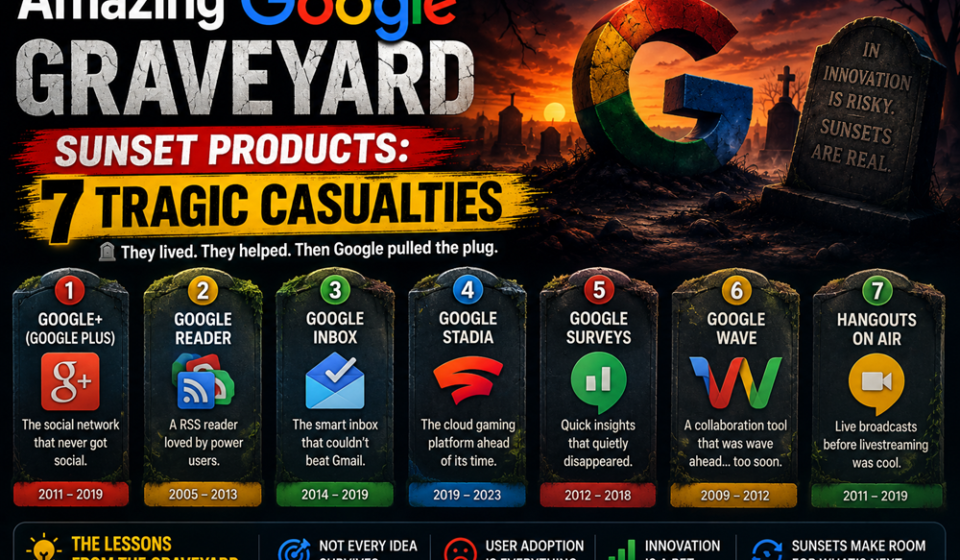
To successfully audit your current tech stack for incoming service breaks, you must track which tools have crossed into historical archives. The platform has officially relocated these seven notable applications, hardware lines, and data utilities into the permanent Google Graveyard sunset products collective:
| Discontinued Product | Original System Role | Lifespan | Core Reason for the Sunset Block |
| 1. VPN by Google One | Encrypted transit and IP data masking for cloud subscribers. | 2020 – 2024 | Low consumer usage metrics alongside a strategic shift to focus on high-value storage features. |
| 2. Google Tables | Collaborative database tracking tool born from Area 120. | 2020 – 2026 | Consolidation within Workspace, routing users to AppSheet or Sheets. |
| 3. Chromecast Line | Pioneers of digital media streaming and TV casting. | 2013 – 2024 | Replaced by premium standalone hardware like the Google TV Streamer hub. |
| 4. Google Podcasts | Lightweight dedicated audio playback and hosting app. | 2018 – 2024 | Consolidated to expand the music streaming ecosystem inside YouTube Music. |
| 5. Dark Web Reports | Automated personal data breach scanning utility. | 2023 – 2026 | Native tools integrated straight into the core “Results About You” engine. |
| 6. Google Jamboard | Collaborative whiteboarding app and presentation screen. | 2016 – 2024 | Limited enterprise traction, shifting whiteboard focus to Google Meet tools. |
| 7. Steam for Chromebook | Beta initiative to run PC gaming clients on ChromeOS. | 2022 – 2026 | Strategic re-prioritization of system resources away from local gaming frameworks. |
By separating core infrastructure assets from short-term experiments, the Google Graveyard sunset products data stream demonstrates how product lifecycles match shifting business priorities.
Step-by-Step Guide: How to Safely Export Data Before a Sunset
Ready to secure your personal photos, extract your business rows, and transition your account archives before the final server shutdown triggers? Follow this precise sequence to rescue your data safely.
1.Navigate to the Centralized Google Takeout Control Panel:Console Access.
Open your secure web browser window and go directly to the management site at takeout.google.com. Log into your account to view your complete data dashboard.
2.Isolate and Select the Discontinued Service Directories:Step 2.
Do not download your entire multi-terabyte cloud folder blindly. Click the Deselect All option first, then scroll down to check the specific boxes for the incoming entries on the Google Graveyard sunset products list.
3.Configure the Preferred Export File Extension Formats:Step 3.
Click the advanced settings option to establish your data layout structure. Choose highly accessible, open-standard file formats—such as .json or .csv files for spreadsheets and raw text data—to guarantee easy importing later.
4.Select Delivery Methods and Initialize the Extraction Archive:Step 4.
Choose your preferred delivery pipeline. Select Send download link via email and click create export to instruct the cloud infrastructure to compile your files in the background.
5.Download the Archive and Verify Local Import Integrity:Step 5.
Open the generated download links once the processing completes. Pull down the raw zip folders and perform a quick manual verification pass inside your alternative applications to ensure no data loss occurred.
Expert Enterprise Secrets for Managing Application Obsolescence
- Build Integration Code Agnostically via Open Standards: When constructing business logic systems, do not lock your code into proprietary cloud structures. Use open standards like Apache Iceberg or standard SQL syntax to ensure your systems remain easy to move if a tool shuts down.
- Proactively Audit Third-Party Dependencies via CLI: Keep a strict map of your external application ties. Use automated software inventory checkers within your local terminal pipelines to spot and flag aging libraries or retired APIs early.
- Consolidate Processing Teams into Central Notebook Hubs: When moving from retired database managers like Tables, use native collaboration spaces within Workspace to group your scripts and rules without adding expensive software bloat.
Common Migration Pitfalls to Avoid
- Expecting Automated Background Transfers to Alternative Apps: Assuming the cloud platform will automatically port your settings to a new application can lead to missing data. Always execute your manual Google Takeout exports before the official closure date hits.
- Hardcoding Rigid Commits to Beta Innovation Features: Building primary corporate data pipelines on short-term tools from experimental wings like Google Labs often leads to workflow breaks. Limit production environments strictly to stable core services.
- Leaving Inactive API Webhooks Linked in Live Codebases: Forgetting to clear away tracking endpoints connected to retired tools can trigger system timeouts. Clean your script directories regularly to keep your production code lean and fast.
Pros and Cons of Google’s Rapid Product Churn Rate
Pros
- Continuous Resource Optimization: Freeing up massive data center arrays from aging platforms lets Google deploy cutting-edge computing power to modern AI systems.
- Consolidated App Footprints: Drastically reduces app clutter by rolling fragmented tools into unified, feature-rich ecosystems like YouTube Music.
- Rapid Experimental Innovation: The willingness to shut down slow projects allows developers to test bold new ideas without fear of long-term software bloat.
Cons
- Disruption of Long-Term User Trust: Infamous product lifespans can create user fatigue, causing individuals to hesitate before adopting new software services.
- Heavy Readjustment Costs for Engineering Squads: Forcing development teams to frequently rebuild integration layers pushes engineering focus away from primary product roadmaps.
Strategic Real-World Transition Use Cases
- Smooth Corporate CRM Upgrades: Agile technology consulting groups track database changes closely, smoothly moving old data sets out of Tables and into AppSheet pipelines without losing historical client milestones.
- Unified Workspace Media Production Scaling: Digital content creation teams adjust to hardware changes by replacing old streaming sticks with the premium Google TV Streamer hub, ensuring stable 4K presentation channels for corporate media reviews.
- Secure Enterprise Personal Security Relocations: Modern data defense squads intercept system tool modifications instantly, replacing retired breach monitors with the built-in identity filters of the primary account dashboard seamlessly.
Ecosystem Adjustments Summary & Tactical Next Steps
Tracking the additions to the Google Graveyard sunset products lineup highlights a permanent tech reality: modern cloud services demand agile data strategies. By prioritizing open software standards, performing routine data audits, and executing timely exports through Google Takeout, you protect your digital assets from unexpected closures. Start your protective cleanup today by mapping out your active application connections, running a manual backup pass on your oldest data logs, and moving your pipelines to stable core services to future-proof your digital workflow.
Explore More Google Products & Tools
To see how these new high-speed models fit into Google’s broader software roadmap, check out our comprehensive Google Product Index Categories Hub on the homepage to browse through active enterprise toolsets.
Google Product Index Categories Hub:
https://www.google.com/search?q=https://gproductindex.com/
To track how these new tools fit into the wider landscape of active and legacy applications, you can explore our comprehensive Google Products Database Hub right on our homepage.
Google Products Database Hub:
10. FAQ Schema
Why does Google frequently relocate active services into the Google Graveyard sunset products list?
Google manages its large app ecosystem using an agile, data-driven approach. Services join the Google Graveyard sunset products collection when they experience low consumer adoption, become redundant due to feature overlap, or when internal strategies pivot resources toward modern technologies like Gemini AI.
How long do users typically have to salvage data after a sunset announcement?
While warning timelines can vary by product scale, Google generally provides a clear notice window ranging from 3 to 12 months before pulling the plug on support. This window gives users plenty of time to run manual data backups through platforms like Google Takeout.
Can I still use physical hardware items after they are officially discontinued?
It depends entirely on the design of the device. Simple hardware pieces can often continue running standard local features, but smart devices that rely on background cloud servers lose their primary remote features once official server support ends.
If you like, I can assemble a specific software migration blueprint for moving tracking sheets into AppSheet or compile an architectural checklist for setting up localized backup crons. Do you want me to do that?